How to Half Swipe on Snapchat in 2026 (Does It Still Work?)
You receive a message on Snapchat, but you are not ready to reply. Opening the conversation will change the message from Delivered to Opened, so you may want to read it without sending a read receipt. This is where the Snapchat half swipe comes in.
Half swiping lets you partially open a conversation from the Chat screen and preview a text message without fully entering the chat. When performed correctly, the message can remain unread. It still works for many Snapchat users in 2026, but it is an unofficial technique and can fail if you swipe too far or lift your finger at the wrong moment.
There is another important limitation. Snapchat+ subscribers can use Peek a Peek to see when someone is partially viewing a conversation under certain conditions. Half swiping is therefore not guaranteed to be invisible.
This guide explains how to half swipe on iPhone and Android, whether someone can detect it, why it sometimes fails, and which alternatives are worth trying.
What Is Half Swiping on Snapchat?
Half swiping is a gesture used to preview a Snapchat text message without fully opening the conversation.
Instead of tapping a chat, you place your finger on the sender’s Bitmoji or profile icon and slowly drag the conversation toward the right. As the chat panel begins to open, the latest text becomes visible. You then slide the panel back to the left before releasing your finger.
When the conversation does not open completely, Snapchat may continue to show the message as Delivered instead of Opened.
Half swiping is mainly used when someone wants to:
- Preview a message before deciding how to respond
- Read part of a conversation without immediately sending a read receipt
- Check whether a message is urgent
- Avoid appearing to ignore someone after opening their message
- Read a short message while staying on the Chat screen
This technique works with text chats. It does not safely preview photo Snaps, video Snaps, voice notes, Stories, or Spotlight posts.
Snapchat does not document half swiping as an official feature. It is better understood as an unofficial use of the app’s swipe gesture. Its behavior can change after an app update.
Does Half Swiping Still Work on Snapchat in 2026?
Yes, half swiping can still work on Snapchat in 2026, particularly for text messages in the mobile app. Its reliability depends on your phone, touch sensitivity, operating system, Snapchat version, and how carefully you control the gesture.
There is no official guarantee that the technique will continue working. Snapchat has never presented half swiping as a supported privacy feature, so the company can change the Chat interface without announcing changes to this specific gesture.
| Platform | Does half swipe work? | Important limitation |
| iPhone | Usually | Opening the panel fully sends a read receipt |
| Android | Usually | Touch sensitivity and app versions can affect control |
| Samsung Galaxy | Often | Results vary by device, display settings, and Snapchat build |
| Google Pixel | Often | Gesture navigation and touch response may affect precision |
| Snapchat for Web | No | The desktop interface does not use the mobile half-swipe gesture |
| Apple Watch | No | It can show notification previews, but it does not support the gesture |
No reliable evidence shows that one Android brand is always better or worse for half swiping. Differences are more likely to come from touch response, screen protectors, operating system settings, gesture navigation, and the current Snapchat build.
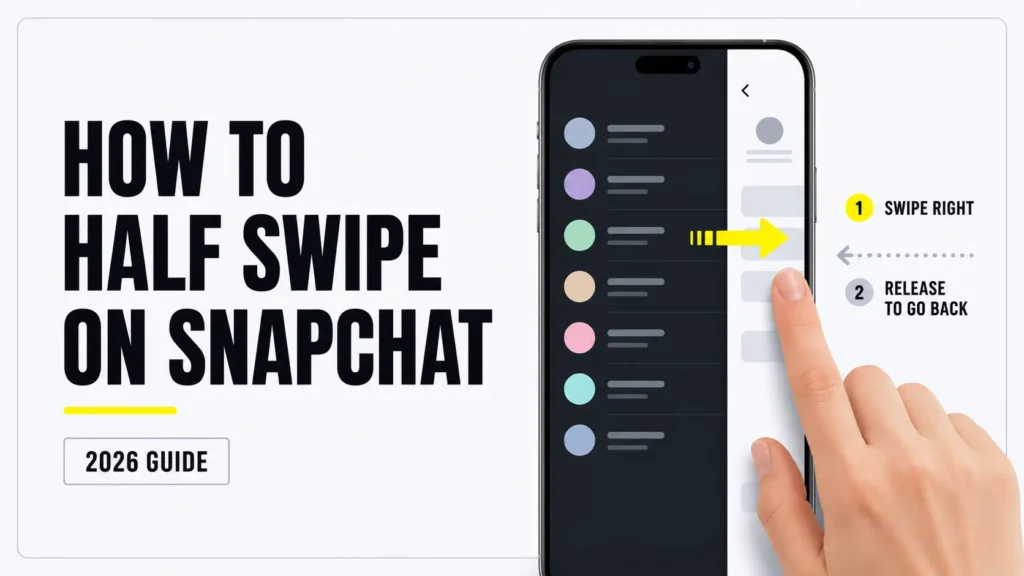
How to Half Swipe on Snapchat
The same basic method works on iPhone and Android, including when you use Snapchat Dark Mode. Try it first in a conversation where an accidental read receipt will not cause a problem.
How to Half Swipe on iPhone
- Open Snapchat.
- Swipe right from the Camera screen to open Chat.
- Find the conversation containing the unread message.
- Place your finger on the sender’s Bitmoji or profile icon on the left side.
- Keep your finger pressed against the screen.
- Slowly drag your finger toward the right.
- Stop when enough of the conversation is visible to read the message.
- Without lifting your finger, drag the panel back toward the left.
- Release your finger only after the Chat screen is back in its original position.
Do not swipe all the way across the screen. If the conversation opens completely, Snapchat will normally mark the message as Opened.
How to Half Swipe on Android
- Open Snapchat and go to the Chat screen.
- Locate the unread conversation.
- Press your finger on the sender’s Bitmoji or profile icon.
- Slowly drag toward the right.
- Keep your finger on the display while reading the visible text.
- Move your finger back toward the left.
- Release it after the conversation has fully closed.
The exact distance varies from one phone to another. Avoid following advice that tells you to swipe a fixed percentage of the screen. Snapchat provides no official threshold, and different displays respond differently.
Can You Half Swipe on Snapchat Web?
No. Snapchat for Web uses a desktop Chat interface rather than the mobile swipe panel. Clicking a conversation opens it normally, so there is no equivalent half-swipe gesture.
If you want to preview a message without opening Snapchat for Web, a browser or operating-system notification may show part of the message. Whether the content appears depends on your notification and privacy settings.
Can Someone Tell If You Half Swipe Their Snapchat Message?
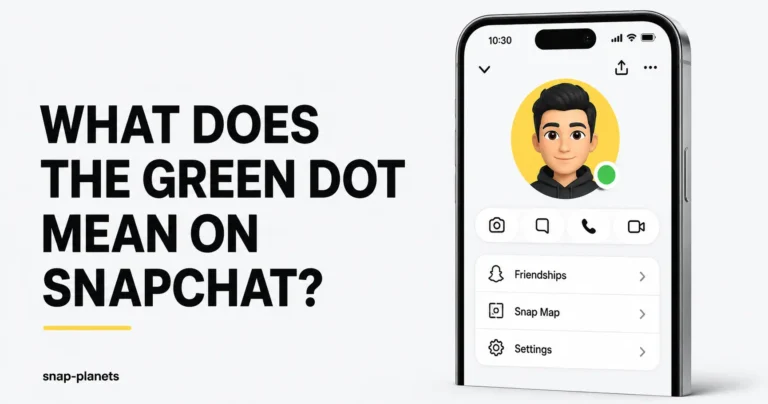
Usually, a normal Snapchat user will not receive a standard read receipt if you preview the conversation correctly and close it before the chat fully opens. The green dot on Snapchat is a separate activity indicator and does not show whether someone half swiped your message.
However, Snapchat+ changes the situation. Its Peek a Peek feature can show a subscriber when a friend is peeking into a shared one-on-one or group conversation.
| Situation | What the sender may see |
| Normal Snapchat account | No Opened status if the half swipe succeeds |
| Snapchat+ with Peek a Peek | Eyes indicator may appear while you are peeking |
| Chat opens completely | Message changes from Delivered to Opened |
| Screenshot taken | Snapchat may display a screenshot indicator |
| Peek occurs while subscriber is not watching | Peek a Peek does not provide a permanent history |
Does Snapchat notify the sender?
A successful half swipe does not normally produce the standard Opened status. Snapchat also does not send a normal push notification saying that someone half swiped.
A Snapchat+ subscriber may still see a live Peek a Peek indicator.
Can the sender see a read receipt?
If the chat remains partially open and you slide it back correctly, the message may remain marked as Delivered.
Once the conversation fully opens, Snapchat records the message as Opened. Closing the app afterward does not undo that status.
When does Snapchat mark a message as Opened?
The message is marked Opened when the conversation fully loads. This can happen if you:
- Drag the panel too far
- Lift your finger while the conversation is open
- Tap the message
- Accidentally release the swipe
- Enter the chat normally
- Lose control because another gesture interrupts the swipe
Once the message has been marked Opened, there is no official way to return it to Delivered or unread.
Snapchat+ Peek a Peek: What It Detects
Peek a Peek is a Snapchat+ feature that can reveal when someone is partially looking into a shared conversation. Do not confuse this Chat indicator with the eyes emoji on a Snapchat Story, which is associated with the Story Rewatch Indicator.
According to Snapchat’s official Peek a Peek guide, the subscriber may see:
- An eyes emoji beside the conversation in the Chat feed
- The peeking person’s Bitmoji at the side of the screen if the subscriber is inside the Chat at that moment
- Peek activity in one-on-one conversations
- Peek activity in group conversations
Peek a Peek is a live indicator, not a history page. Snapchat says the subscriber can only see the peek if they are looking at their Chat feed or are inside the conversation at the same time.
This means someone cannot normally return later and review a list of every person who half swiped. However, if they are using Snapchat while you peek, they may notice it.
Can you tell who has Snapchat+?
Some subscribers display a Snapchat+ badge next to their name, but the badge is optional and switched off by default. A person can subscribe without showing it publicly.
The absence of a badge does not prove that someone is not subscribed. Snapchat confirms that users choose whether to display the subscriber badge. Snapchat explains the optional badge here.
Does a screenshot during a half swipe notify the sender?
Do not assume that half swiping hides screenshots. Snapchat uses screenshot icons to indicate when a screenshot has been taken of a Chat or Snap.
Taking a screenshot while a conversation is partly visible may still trigger Snapchat’s screenshot detection. If privacy matters, do not screenshot the message.
Does Half Swiping Work for Snaps or Only Chat Messages?
Half swiping is for text conversations. It is not a safe way to preview every type of Snapchat content.
| Content type | Half swipe supported? | What happens if opened? |
| Text Chat | Yes, unofficially | A full opening sends a read receipt |
| Photo Snap | No | Viewing records the Snap as opened |
| Video Snap | No | Viewing records the Snap as opened |
| Voice note | No reliable preview | Opening the chat can affect message status |
| Story | No | Opening records a Story view |
| Spotlight post | No | Plays through Spotlight normally |
| Snapchat for Web Chat | No | Clicking opens the conversation |
Can you half swipe text chats?
Yes. Text chats are the content type that the gesture is designed to preview. Only the visible section of the conversation appears, so longer messages may be cut off.
Can you half swipe a photo Snap?
No. A photo Snap uses a separate viewing screen. Tapping it opens the Snap and records it as viewed.
Can you half swipe a video Snap?
No. Video Snaps open through Snapchat’s media viewer. The half-swipe technique does not provide a safe video preview.
Does half swiping work on Stories or Spotlight?
No. Stories and Spotlight use different viewing interfaces. Opening a Story can place you in its viewer list, while Spotlight content plays through its own feed.
Can You Half Swipe on Snapchat Group Chats?
Yes, the same gesture can work in a Snapchat group conversation.
From the Chat screen, press the group icon, drag slowly toward the right, read the visible text, and return the panel to the left without releasing your finger early.
Group chats require extra care because:
- Several unread messages may be stacked together.
- Only the latest visible part of the conversation may appear.
- Longer messages may remain partly hidden.
- Photos, videos, and voice messages cannot be safely previewed.
- A full opening sends the normal read status.
- Snapchat+ Peek a Peek can apply to groups.
Snapchat’s official description says Peek a Peek supports both one-on-one and Group Chats. An eyes emoji may appear in the subscriber’s Chat feed. If the subscriber is inside the group while you peek, your Bitmoji may appear at the edge of the screen.
Why Half Swiping Does Not Work
If every attempt opens the conversation, one of these common mistakes is probably responsible.
You started from the wrong place
Begin on the person’s Bitmoji or profile icon. Tapping the conversation itself can open the chat immediately.
You lifted your finger too early
Your finger must remain on the screen while you open and close the preview. Releasing it while the chat panel is visible may complete the opening.
You swiped too far
There is no fixed percentage that works for every device. Stop as soon as enough text becomes visible.
You swiped too quickly
A fast swipe gives you less time to stop the panel before the chat opens. Use a slow, controlled movement.
You tried to preview a Snap
The technique applies to text messages, not photo or video Snaps.
You used Snapchat for Web
The web version does not have the mobile swipe panel.
Snapchat changed the interface
Half swiping is unofficial. A Snapchat update can change the gesture or temporarily make it less reliable.
Your screen protector affects finger movement
A thick, damaged, or poorly fitted screen protector can make the swipe less smooth. Moisture and heavy smudges can also make precise finger control more difficult.
Android gesture navigation interferes
On some Android phones, swiping from the far edge of the display can activate the system Back gesture. Starting directly on the Bitmoji rather than the outer screen edge can help.
The app is lagging
A slow connection or overloaded app can cause the panel to jump or open unexpectedly. Close Snapchat, reopen it, and try again.
Snapchat recommends checking the connection, restarting the app, and clearing the cache for general Chat problems. Clearing Snapchat’s cache does not delete Memories, Snaps, or Chats.
What Happens If a Half Swipe Fails?
If the conversation opens completely, Snapchat marks the message as Opened. The sender can then see the read receipt.
There is no official Mark as Unread option for personal Snapchat chats. You cannot reverse the status by:
- Clearing Snapchat’s cache
- Logging out
- Reinstalling the app
- Turning on Airplane Mode
- Disconnecting from Wi-Fi
- Clearing the conversation from your Chat feed
- Restarting your phone
These steps may refresh the application, but they will not remove a read receipt that has already synchronized.
If an accidental opening is awkward, the simplest solution is usually to reply when you are ready. You can also leave the conversation without responding, but the Opened status will remain.
Best Alternatives If Half Swiping Does Not Work
No alternative provides a guaranteed private reading method, but notification previews are usually more dependable than unofficial Snapchat tricks.
Use Lock Screen and Notification Previews
A notification may display part or all of a short message without requiring you to open Snapchat. On iPhone, an alert may also be labelled Time Sensitive on Snapchat, allowing it to appear prominently depending on your notification settings.
On iPhone:
- Open Settings.
- Tap Notifications.
- Select Snapchat.
- Make sure notifications are allowed.
- Tap Show Previews.
- Choose Always or When Unlocked.
Apple confirms that notification contents can appear on the Lock Screen when Show Previews is enabled. Longer Snapchat messages may still be shortened.
On Android:
- Open Settings.
- Tap Notifications.
- Open App Notifications.
- Select Snapchat.
- Enable the relevant Chat notifications.
- Allow notification content on the Lock Screen.
Android menus vary by phone manufacturer and operating-system version. Privacy settings may hide message content until the phone is unlocked.
Notification previews work best for short messages. They may not show:
- Long messages in full
- Several messages sent quickly
- Content hidden by privacy settings
- Snaps, photos, or videos
- Messages received while Snapchat notifications are disabled
Why Airplane Mode is not reliable
The Airplane Mode method involves disconnecting the phone, opening a message, closing Snapchat, and reconnecting later.
This is not dependable. Snapchat can synchronize the read status when your device reconnects. Force closing the app or clearing its cache does not guarantee that the Opened status will be avoided.
You may occasionally see claims that Airplane Mode works every time, but it should not be treated as a safe method in 2026.
Does the Snapchat Android widget preview messages?
No. Snapchat’s Android widget provides quick access to selected friends, including people who may appear in your Snapchat Best Friends list. It does not officially display the text of unread messages.
Snapchat’s widget instructions say users can place one friend or a row of friends on the Home Screen. Only friends with linked Bitmoji accounts appear. It works as a shortcut, not as a private message reader. See Snapchat’s widget instructions.
Use an Apple Watch notification preview
If you use an Apple Watch, Snapchat can display and allow replies to Chat text notifications. The available content depends on the Watch and iPhone notification settings.
This is a notification feature, not half swiping, and it will not preview photo or video Snaps.
Does Snapchat+ Improve Half Swiping?
No. Snapchat+ does not help subscribers read messages without sending a read receipt.
The subscription includes exclusive, experimental, and early-access features, but it does not provide a setting that disables Opened status.
Peek a Peek works in the opposite direction. It helps a subscriber notice when another person is partially previewing a conversation under supported conditions.
Subscribing to Snapchat+ will not make your own half swipes safer, more accurate, or invisible.
How to Practice Half Swiping Without Risk
Half swiping requires precise finger control. Practicing first can reduce accidental openings.
Practice with a trusted friend
Ask a friend to send you a simple text message. Try the gesture and ask whether the message remained Delivered or changed to Opened.
Use text messages only. Do not test with photos or videos because those cannot be safely previewed through the same method.
Use a second Snapchat account
If you already have a separate test account that complies with Snapchat’s account rules, send a text between your accounts and practice the swipe.
This lets you check both sides:
- Whether the message remained unread
- Whether the chat changed to Opened
- Whether Peek a Peek displayed anything
- How far you can safely move the panel
- Whether your device’s gestures interfere
There is no official Snapchat practice mode. A trusted friend or test conversation is simply a low-pressure way to learn.
Retest after Snapchat updates
Because half swiping is not officially supported, an update can alter how the Chat panel responds. Test the gesture again after a major app or operating-system update before relying on it in an important conversation.
Half Swipe Tips for Better Success
These tips can make the movement easier, but none can guarantee that the message will remain unread.
Use your index finger
Many people have better control with an index finger than a thumb. Use whichever finger allows you to move slowly without covering too much of the message.
Start on the Bitmoji
Starting on the profile icon helps avoid opening the conversation with a normal tap.
Swipe slowly
Do not flick across the display. Drag the panel gradually and stop when the message becomes readable.
Keep your finger on the screen
Do not release your finger until the panel has returned completely to the Chat feed.
Keep the screen dry
Moisture, damaged screen protectors, and sticky smudges can affect how smoothly your finger moves. The main issue is finger control, not the screen reading the content differently.
Do not trust the Snapchat+ badge
A visible Snapchat+ badge can warn you that someone is subscribed, but the badge is optional. Not seeing one does not mean Peek a Peek is unavailable.
Use notification previews for short messages
If the full message already appears in your notification, there is no need to risk opening Snapchat. This is often the safest option for a short text.
How Snapchat Updates Have Changed Half Swiping
Half swiping became popular as an unofficial way to preview Snapchat Chats. Users discovered that they could partially drag open a conversation without completing the transition into Chat.
Snapchat has never publicly documented the gesture as an official feature. Because of this, there is no official promise that it will continue working or behave identically on every device.
The biggest practical change came with Snapchat+ and Peek a Peek. Half swiping can still avoid the normal Opened receipt when performed correctly, but subscribers may now see live evidence that someone is peeking.
Users also report changes in reliability after different Snapchat and operating-system updates. However, Snapchat has not published release notes confirming that it intentionally adjusted half-swipe sensitivity on specific iPhone, Samsung, or Pixel models.
The sensible expectation is simple: half swiping may continue to work, but it can change without notice.
Frequently Asked Questions
Does half swipe on Snapchat still work in 2026?
Yes, it can still work for text conversations in the iPhone and Android apps. It is unofficial, so reliability varies by device and app version.
Can someone tell if I half swiped their message?
A standard user may not see an Opened receipt if the gesture succeeds. A Snapchat+ subscriber may see a live Peek a Peek indicator.
Does half swipe work on Snapchat Plus users?
The gesture may still preview the message, but the Snapchat+ user may detect the peek if they are viewing their Chat feed or the conversation at that moment.
Can I half swipe a photo or video Snap?
No. The technique works with text chats. Opening a photo or video Snap records it as viewed.
Does half swipe work on Snapchat Web?
No. Snapchat for Web does not support the mobile swipe gesture. Clicking a conversation opens it normally.
Will taking a screenshot during a half swipe alert the sender?
It may. Snapchat is designed to show screenshot indicators for Chats and Snaps. Half swiping should not be considered a way to hide screenshots.
Is half swiping against Snapchat rules?
Snapchat does not publish half swiping as a prohibited action. It is simply an unofficial gesture, not a supported privacy feature. Avoid third-party apps or modified Snapchat clients that promise hidden reading, as those can create account and security risks.
Does half swipe work differently on older and newer iPhones?
It can feel different because of screen size, touch response, operating-system version, screen protectors, and the installed Snapchat build. There is no official rule saying older or newer iPhones always perform better.
What should I do if half swipe stops working after an update?
Restart Snapchat, confirm the app is fully updated, check your connection, and test the gesture with a trusted friend. If the interface changed, wait for a later update or use notification previews.
What is the best way to read Snapchat messages without opening them?
For short messages, a lock-screen or notification preview is usually the safest option. Half swiping is useful but unofficial, while Airplane Mode is inconsistent.
Does the Airplane Mode trick still work on Snapchat?
It is not reliable. Snapchat may synchronize the Opened status after your phone reconnects to the internet.
Does half swipe work on unopened messages only?
It is mainly useful for unread messages because its purpose is to avoid changing Delivered to Opened. You can partially move a conversation that was already opened, but there is no read-receipt benefit.
Why does my half swipe keep opening the chat?
You may be swiping too far, releasing your finger too early, starting from the wrong spot, or moving too quickly.
Is half swipe a Snapchat bug or feature?
Snapchat has never documented it as an official feature. It is best described as an unofficial behavior of the Chat-screen transition.
Does half swipe work with disappearing messages?
It may work with visible text chats regardless of the conversation’s deletion setting. However, it cannot recover a message that has already disappeared or been deleted.
Is there a risk of accidentally marking a message as read?
Yes. If the Chat fully opens at any point, Snapchat can mark the message as Opened. There is no official way to reverse that status.
Final Thoughts
Half swiping on Snapchat can still help you preview text messages without sending the normal Opened receipt, but it is not guaranteed. The gesture only works when you partially open the conversation and slide it closed before releasing your finger.
It does not work for photo Snaps, videos, Stories, Spotlight, or Snapchat for Web. Snapchat+ Peek a Peek can also reveal a live chat preview under certain conditions, even when the message remains unread.
If you only need to check a short message, notification previews are usually the safer choice. If you decide to half swipe, practice first, move slowly, and remember that one accidental release can mark the conversation as Opened.