What Does Added by Mention Mean on Snapchat? 2026 Guide
You open Snapchat, check your friend requests and notice “Added by Mention” under someone’s username. The confusing part is that you may not recognize the person or remember anyone mentioning you.
So, what does by mention mean on Snapchat, and how did that person find you?
“Added by Mention” generally means the person opened your Snapchat profile through a mention of your account in someone’s Story and then tapped Add. The label describes how Snapchat believes the person found you. It does not prove that they know you, that your account was hacked or that your private content was exposed.
Quick Answer: What Does “Added by Mention” Mean on Snapchat?
When Snapchat says someone added you by mention, it generally means your account was mentioned in a Story that the person viewed. They opened the mention, visited your profile and sent you a friend request.
The usual process looks like this:
- Someone mentions your Snapchat account in a Story.
- Another person views that Story.
- The viewer swipes up or opens the mentioned account.
- Your Snapchat profile appears.
- The viewer taps +Add.
- Snapchat displays “Added by Mention” with their request.
The person does not necessarily know you personally. They may simply have seen your username in content posted by someone else.
How Does Added by Mention Work?
A Snapchat mention is a clickable reference to another account. A user can create a Snap, add a friend’s username as a mention and then publish the Snap to a Story. People who can view that Story may be able to open the mentioned profile directly.
If one of those viewers adds the mentioned account, Snapchat may identify the request as Added by Mention.
The important difference is that the person did not necessarily type your username into Snapchat Search. Your account appeared inside content they were already watching.
Being mentioned does not automatically add anyone. The viewer must still choose to open your profile and press the Add button.
What Added by Mention Does—and Does Not—Tell You
The label provides limited information. It tells you the probable discovery method but not the complete story behind the request. It is also different from the hearts and symbols covered in our guide to Snapchat emoji meanings, which usually indicate friendship activity, Streaks or message status.
| “Added by Mention” may indicate | It does not prove |
| Your account appeared in a Snapchat mention | The person knows you |
| The person opened your profile from the mention | They deliberately searched for you |
| The viewer chose to send a request | Your account was hacked |
| Snapchat recorded Mention as the add source | Your private content was exposed |
| Someone made your profile easier to find | You were the subject of a conversation |
A mention could be as simple as a friend tagging you in a group photo. It does not necessarily mean someone was discussing you.
Why Does It Say Someone Added Me by Mention but Nobody Mentioned Me?
This is the most confusing part of the feature. You may receive one or several requests marked “Added by Mention” even though nobody told you that they tagged your account.
There are several reasonable explanations.
The Story Expired or Was Deleted
Stories are temporary. Someone may have opened the mention and added you while the Story was available, but the content could have expired or been deleted before you checked.
The friend request can remain even when the Story that led to it is no longer visible.

The Mention Came From Someone You Do Not Follow
The person who mentioned you does not necessarily have to be one of the friends whose Stories you regularly watch. It could be a follower, former friend or another account that knows your username.
This is why checking only your current friends’ Stories may not reveal the source.
You Missed the Notification
A mention notification can be cleared, overlooked or buried among other Snapchat notifications. Mention alerts may also be disabled for some Public Profile activity.
Not seeing an alert does not always prove that no mention occurred.
You Could Not Access the Original Story
The mention may have appeared in content with a limited audience, or the Story may no longer be available when you investigate. For example, a lock on a Snapchat Story identifies a Private Story shared with selected viewers. Snapchat can show the source label without giving you a permanent copy of the content that produced it.
Snapchat Does Not Explain Every Attribution Rule
Snapchat explains the basic process of adding someone from a Story mention, but it does not publicly document every rule used to assign friend-request source labels.
An unexpected label could be caused by how Snapchat recorded the discovery path. However, there is not enough evidence to claim that every unexplained request is a glitch.
How to Tell Who Mentioned You on Snapchat
If you have a Public Profile, Snapchat provides a place to review certain mentions made by followers in their Public Stories.
Try these steps:
- Open Snapchat and tap your profile icon.
- Open your Public Profile.
- Go to Notifications.
- Open the Mentions tab.
- Review the available Stories in which followers mentioned you.
This can help identify the source, but it may not solve every case. An expired, deleted or unavailable Story may no longer appear. The friend request label itself also does not always name the exact account that created the mention.
If you cannot find anything in the Mentions tab, consider whether the Story may have disappeared before you checked.
Can People See When You Mention Them on Snapchat?
Generally, yes. When you mention a friend in a Snapchat Story, the mentioned person can receive a notification. Public Profile users may also find qualifying mentions from followers inside the Mentions section of their profile notifications.
However, the person might not notice the mention if:
- They cleared the notification
- Their mention notifications are disabled
- They receive many notifications
- The Story disappeared before they checked
- The mention did not appear in an area available to them
Turning off mention notifications only changes the alerts a person receives. It does not necessarily prevent other users from mentioning the account.
How to Mention Someone on Snapchat
You can mention another account while creating a Snap or Story.
- Open the Snapchat camera.
- Take a photo or record a video.
- Tap the text or mention option.
- Type @ followed by the person’s username.
- Select the correct account from the suggestions.
- Position the mention on your Snap.
- Send the Snap or publish it to your chosen Story.
Before posting, confirm that you selected the correct username. Mentioning an account can make that profile easier for your viewers to discover and add.
Also consider the Story’s audience. Mentioning someone in public content may expose their profile to more people than mentioning them in content limited to friends.
How Do I Add Someone on Snap Without It Saying “By Mention”?
If you do not want to add someone through a mention, open their profile using another discovery method. You can try:
- Searching for their name or username
- Scanning their Snapcode
- Finding them in your contacts
- Opening their Public Profile
- Selecting them through Find Friends, formerly Quick Add
However, Snapchat determines the source label shown with a friend request. There is no standard setting that lets you manually select, remove or hide that label.
If privacy is your concern, remember that the label usually reveals only the discovery method. It does not reveal your private conversation, the reason you added the person or what you were viewing before opening their account.
Added by Mention vs Other Snapchat Add Sources
Snapchat uses different labels or discovery methods to indicate how accounts connect.
| Add source | General meaning |
| Added by Mention | The account was opened from a Story mention |
| Added by Search | The person used Snapchat Search |
| Added by Username | The username was entered or used directly |
| Added by Snapcode | The account was opened through its Snapcode |
| Added from Contacts | The account was connected through saved contact information |
| Find Friends | Snapchat recommended the account |
| Public Profile | The person discovered the account through its public presence |
Added by Mention vs Added by Search
Added by Mention means the account appeared in content the person was viewing. Added by Search generally means the person entered a name or username into Snapchat’s search feature.
Snapchat can still identify Search as an add source, although the exact wording and interface may differ across app versions and devices.
Added by Mention vs Find Friends
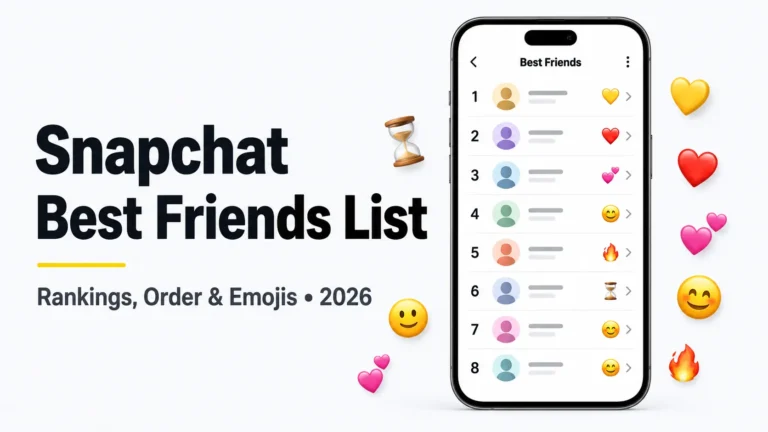
Find Friends is Snapchat’s recommendation system and was previously called Quick Add. It can recommend accounts using signals such as mutual connections and contact networks. These recommendations are separate from your private Snapchat Best Friends list, which reflects the people you interact with most.
A mention is different because it is connected to content containing a referenced Snapchat account.
Added by Mention vs Snapcode
A Snapcode is Snapchat’s scannable account code. If someone scans or opens your Snapcode and adds you, that is a different discovery path from a Story mention.
Is Added by Mention Safe?
The label itself is harmless. It does not install anything, grant account access or reveal your password. It only describes how Snapchat believes the request originated.
The account sending the request may still be unfamiliar or suspicious. “Added by Mention” is not proof that the sender is trustworthy.
Before accepting, review the account carefully. A green dot on Snapchat may suggest recent activity, but it does not prove that the account is genuine or that the person is currently online. Consider the following:
- Do you recognize the username or display name?
- Are there legitimate mutual connections?
- Does the profile appear authentic?
- Did someone you know recently mention you?
- Is the account immediately requesting personal information?
- Are many similar-looking accounts adding you?
Do not send private images, contact information, passwords or verification codes to an unfamiliar account. Snapchat employees will not ask for your password or login code through a Snap or Chat.
Can Someone Who Added You by Mention See Your Private Snaps?
A friend request does not automatically unlock private content. What the person can see depends on your friendship status and privacy settings.
If you do not add them back, they generally should not gain access to content restricted to mutual friends. They may still be able to view anything you deliberately publish publicly, including active Public Stories or Public Profile content.
Review both your friend settings and public content. Blocking an individual account controls direct interaction, but content posted publicly is designed for a wider audience. If location privacy is also a concern, enable Snapchat Ghost Mode to hide your position from other people on Snap Map.
Why Am I Getting Multiple Added-by-Mention Requests?
Several requests could result from one Story mention reaching many viewers. Each viewer who opens the mention and taps Add could produce a separate request.
A sudden wave of requests may also indicate that your username was exposed to a much larger audience than expected. If the accounts look suspicious or follow the same pattern, treat the activity cautiously.
The label alone cannot prove that:
- Someone is targeting you
- The requests are part of an organized group
- Every account is a bot
- Your Snapchat account was compromised
- The label is definitely caused by a software bug
Save screenshots if the activity becomes persistent. They can help when reporting accounts or describing the problem to Snapchat Support.
How to Handle Random Added-by-Mention Requests
You do not have to accept an unfamiliar request.
Ignore the Request
Open Add Friends, find the account under Added Me, tap the X beside it and select Ignore. The X on Snapchat can serve as an ignore or dismiss button in this section, although it may have a different meaning when shown beside a Chat.
Block Suspicious Accounts
Block an account if you do not want it to contact or interact with you. Blocking is appropriate when the person repeatedly contacts you or makes you uncomfortable.
Report Spam or Harassment
Report accounts involved in spam, impersonation, threats, sexual messages or harassment. Use Snapchat’s in-app report option so the relevant account or content can be reviewed.
Review Your Privacy Settings
Check the following controls:
- Who Can Contact Me: Choose who can send direct Snaps, Chats and calls.
- Who Can View My Story: Review the audience for Friends-only Stories.
- Who Can See Me in Find Friends: Reduce recommendation-based discovery if desired.
- Public Profile: Review your bio, active Public Stories and other visible content.
- Mention notifications: Decide whether you want alerts for supported mentions.
Setting Who Can Contact Me to Friends can reduce unwanted direct communication, but it does not necessarily stop people from sending friend requests.
Frequently Asked Questions
Does “Added by Mention” Mean Someone Talked About Me?
Not necessarily. It means your Snapchat account appeared as a mention that another person could open. You could have been tagged in a photo or Story without being the subject of a conversation.
Can Strangers Add Me Through Snapchat Mentions?
Yes, particularly when your account is mentioned in content visible to a broad audience. A viewer may open the mentioned profile and send a request even if you have never met them.
Why Didn’t I Receive a Mention Notification?
You may have missed or cleared the alert, disabled certain mention notifications or checked after the Story disappeared. The notification’s absence does not always establish that no mention occurred.
Can I See the Exact Story That Mentioned Me?
Public Profile users can check Notifications → Mentions for supported follower mentions. However, an expired, deleted or unavailable Story may no longer be accessible.
Does Added by Mention Mean My Account Was Hacked?
No. Receiving a mention-based request does not by itself indicate unauthorized access. Investigate further only if you notice other signs, such as unfamiliar login activity, messages you did not send or changed account details.
Does Turning Off Find Friends Stop Mention Requests?
Not necessarily. Find Friends recommendations and Story mentions are different discovery methods. Disabling Find Friends can reduce recommendation visibility, but it may not prevent someone from opening your profile through a mention.
Can I Remove the Added-by-Mention Label?
Snapchat assigns the source label. Users do not have a standard option for manually editing or removing it from a request.
Will Someone Know If I Ignore Their Request?
Snapchat does not normally send a direct notification saying that you ignored a friend request. The person may eventually notice that you did not add them back.
What Does “Added” Mean on a Snapchat Profile?
“Added” usually indicates that you sent that person a friend request. It does not always mean they have accepted or added you back.
Final Takeaway
“Added by Mention” generally means someone found your Snapchat profile through a mention in a Story and chose to add you. It does not mean your account was hacked or that the person can see private content.
If nobody appears to have mentioned you, check the Mentions tab in your Public Profile, consider whether the original Story expired and avoid accepting accounts you do not recognize.